Launching ads is only the beginning. The harder question is what happens after the budget starts moving: are the ads showing, which keywords trigger them, what domains appear, what IPs interact with the campaign, whether the landing page loads correctly and whether there is evidence when something fails.
Adslyfy was built for that layer of visibility. It is not just a dashboard for counting clicks. It is an operational system for checking ads, tracking campaign signals and retaining evidence from each observation. A completed check is not proof that a campaign is profitable.
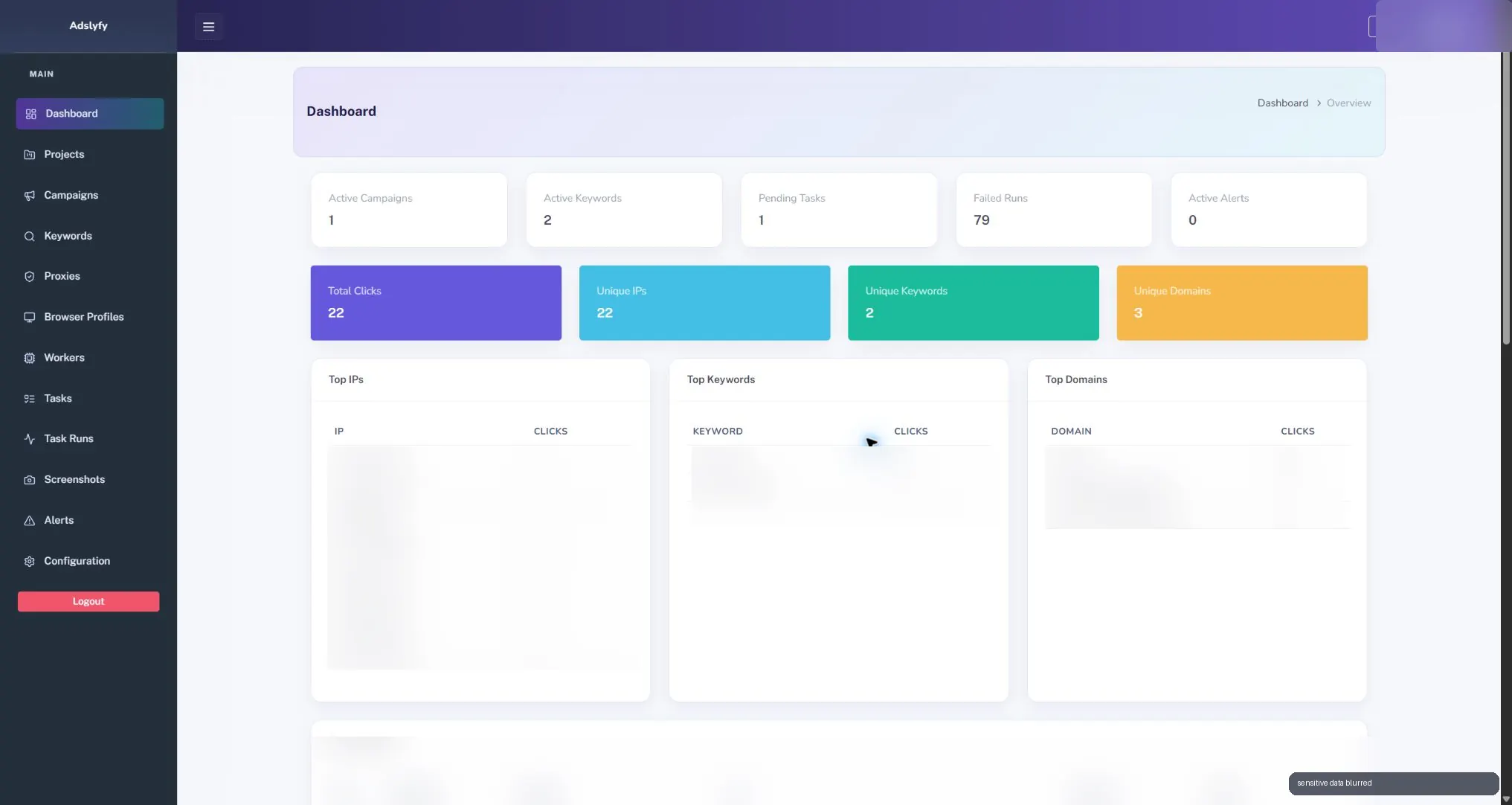
What Adslyfy does
Adslyfy gives marketing and operations teams one place to monitor ad checks across campaigns, keywords, proxies, browser profiles, workers, task runs, screenshots and alerts.
The goal is simple: know whether paid campaigns are behaving correctly before a small issue becomes wasted spend.
- track active campaigns and monitored keywords
- record click activity, unique IPs, unique keywords and domains
- check sponsored results and landing pages from controlled environments
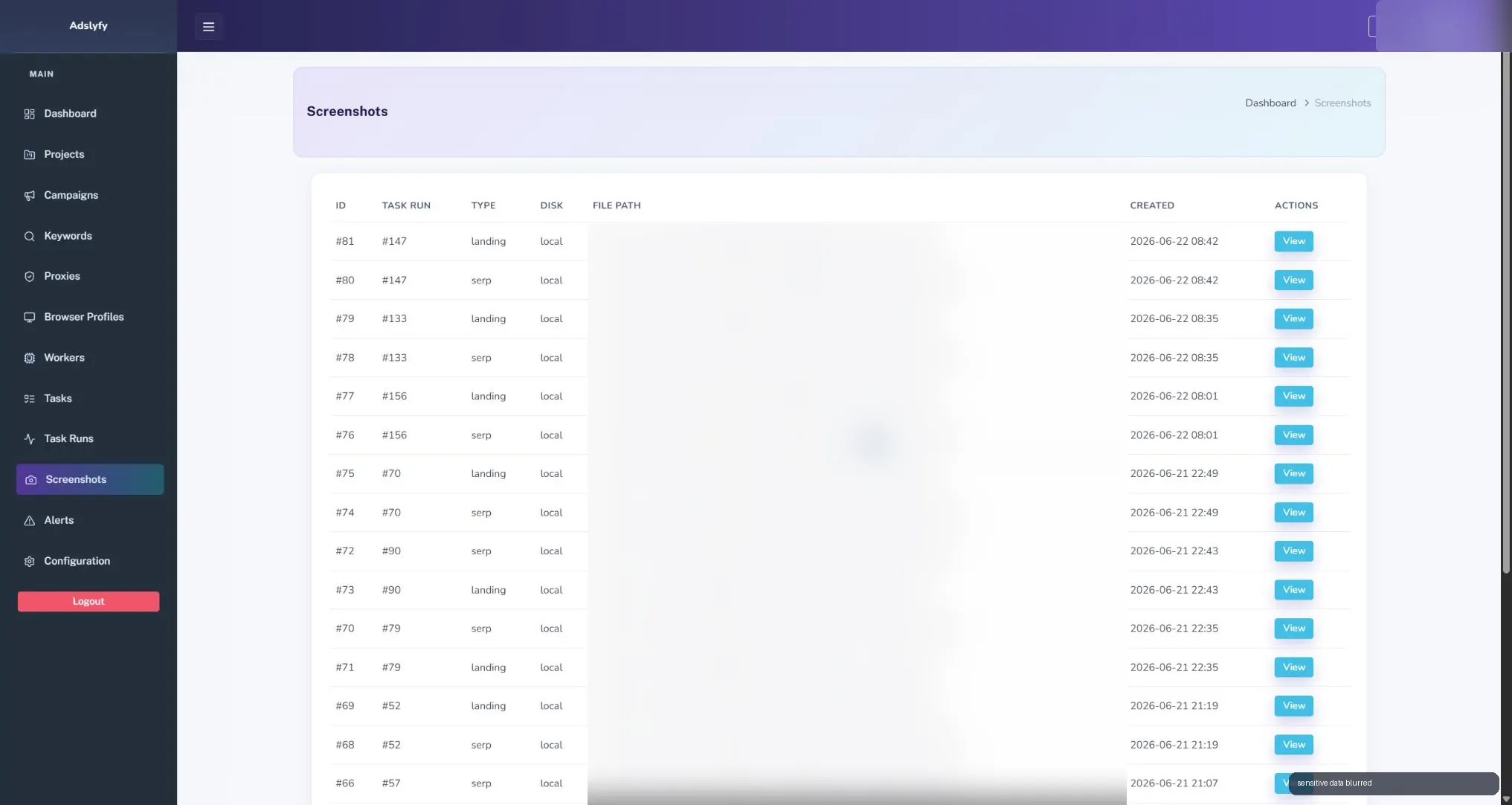
- store screenshots as visual proof of SERP and landing page states
- monitor failed runs, retries, duration and execution status
- trigger alerts when something needs human review
Why ad monitoring matters
A campaign can look healthy inside the ad platform while still having problems outside it. The landing page may be slow. A competitor may appear for a sensitive query. Tracking parameters may break. A proxy region may behave differently. A keyword may produce a different result than expected.
Adslyfy gives teams a second layer of observation: not only what the ad platform reports, but what the campaign looks like from the outside.
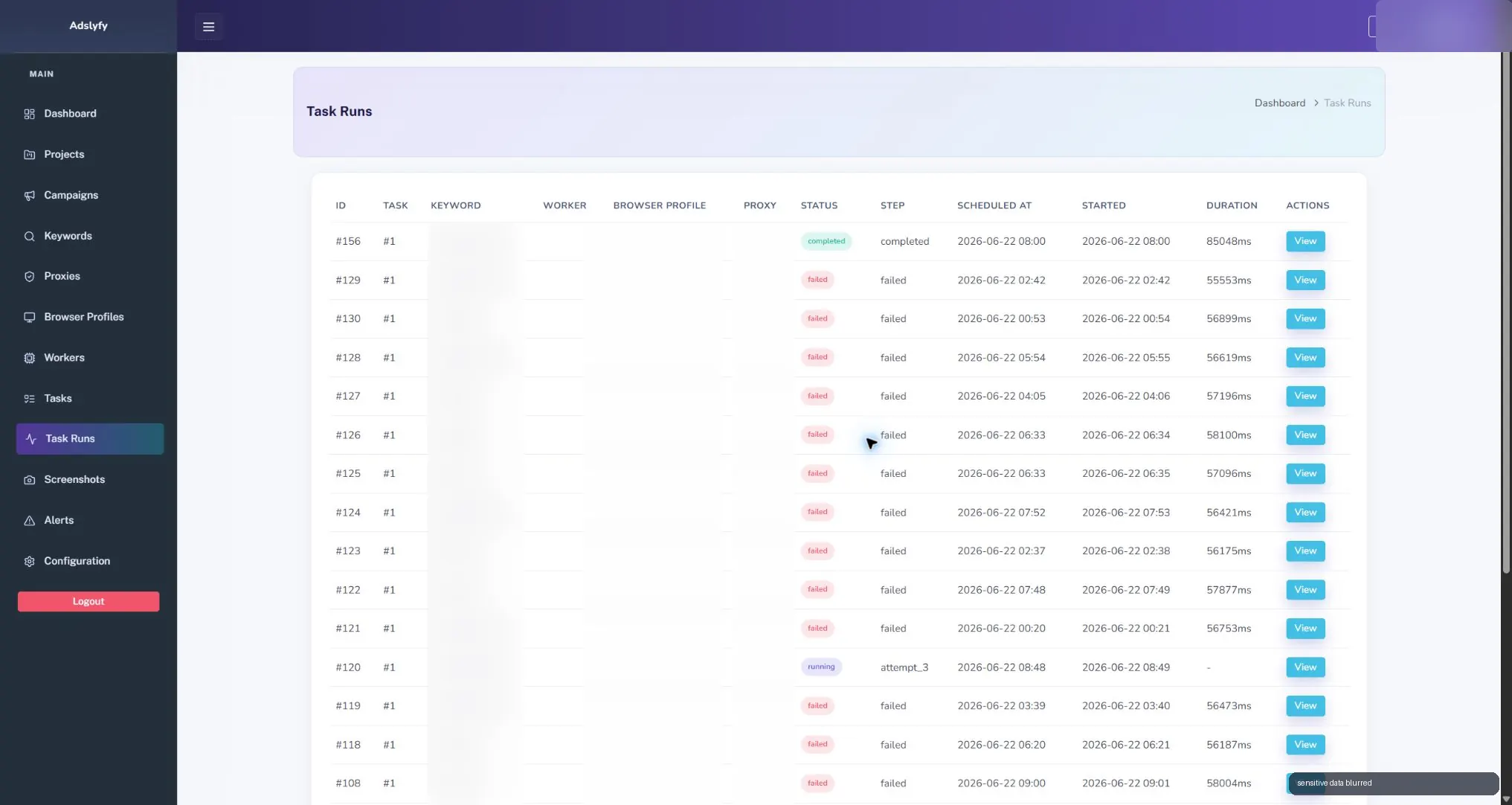
Evidence beats guessing
The best part of this kind of system is not the count. It is the evidence. When a check runs, Adslyfy can keep screenshots for search results and landing pages. That gives the team something concrete to review instead of relying on memory, screenshots in chat or manual spot checks.
This is useful for paid search QA, landing page monitoring, competitor visibility, regional checks and internal reporting. If a campaign is important, the team should be able to prove what appeared and when.
Controlled checks from real environments
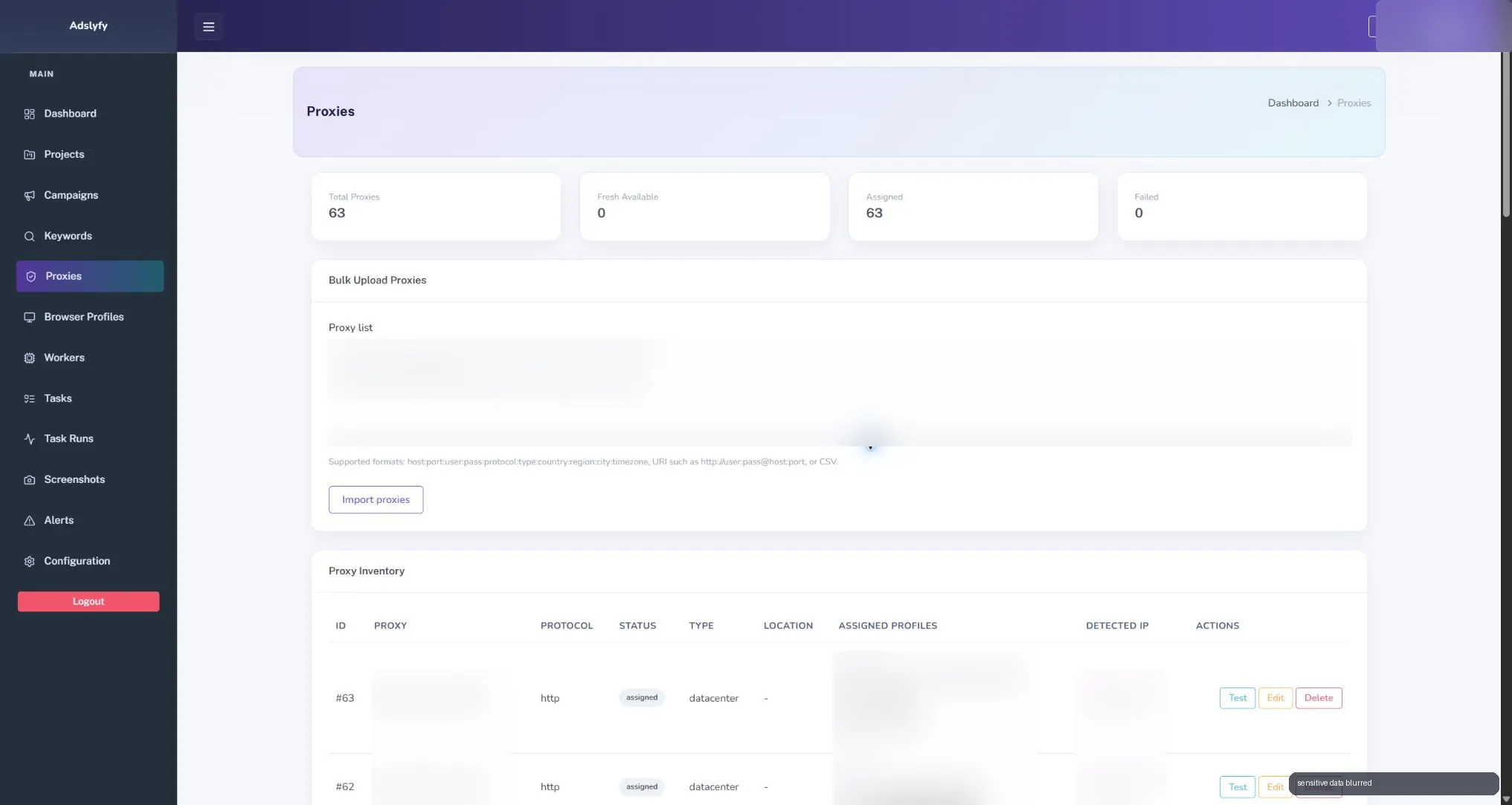
Ads monitoring is more useful when checks run from known, controlled environments. Adslyfy includes proxy inventory, browser profiles, workers and task execution so checks can be repeated with structure instead of done manually from one office connection.
That gives the team context to investigate whether a failure came from the campaign or the checking environment. If an ad fails to appear, the team can inspect the run, the worker, the proxy, the keyword and the screenshot trail.
Marketing visibility with operational discipline
Adslyfy sits between marketing and operations. Marketing gets observations of ad appearance and landing page behavior. Operations gets runs, workers, failures, screenshots and alerts.
That combination matters because ad monitoring is not a one-time audit. It is a recurring process: run checks, collect evidence, review exceptions and improve the campaign setup.
Who it is for
Adslyfy is relevant to teams that need a reviewable record of ad checks and landing page behavior.
- agencies managing paid search campaigns
- companies monitoring branded or high-intent keywords
- teams that need proof of ad visibility and landing page behavior
- operators who want alerts, screenshots and execution history
- businesses spending enough on ads that blind spots are expensive
What the screenshots show, and what remains unmeasured
The screenshots document four parts of Adslyfy: campaign monitoring, task runs, captured pages and environment inventory. They show how an operator can move from an execution to its status, attempts and visual evidence. Sensitive campaign and infrastructure details are blurred.
A screenshot records one observation in one environment at one time. It does not establish continuous ad visibility, conversion attribution, revenue or savings. I use this case to explain an operational design; the material published here does not provide a measured business impact or a performance benchmark.
The next question is who reviews an exception and what information they need. My guide to logs, alerts and monitoring explains the broader signal-to-action model. Adslyfy illustrates it with runs and captured evidence.
Scoping a monitoring workflow for your team
If your team checks campaigns manually, I would start with one recurring check and the decision it supports. Before proposing a build, I would agree:
- Coverage: which campaigns, pages and environments matter, and how often to check them.
- Evidence: which status, timestamps and captures a reviewer needs, with agreed access and retention.
- Failure handling: how to distinguish a failed check from an observed campaign issue, when to retry and when a person takes over.
- Acceptance: a controlled example of a successful check, a failed execution and a missing capture, with the expected operator decision for each.
- Ownership: who reviews exceptions and maintains the checks when pages or environments change.
These are proposed scope questions for a new engagement, not additional features or test results claimed for Adslyfy. If an existing tool covers the checks and review process, a custom platform may add unnecessary maintenance.
For recurring checks and exception handling, see my automation development service. When operators also need a shared panel, permissions and connections to other systems, the relevant scope is internal platforms and integrations.
The software quote comparison checklist helps separate the initial build from monitoring, storage and maintenance. Frequency, environments and evidence retention affect that scope; this case is not a fixed-price offer.
If you are assessing a similar system, tell me which check your team repeats, what happens when it fails and who needs the evidence. I can review the process with you and define a first scope.